Opening Summary
If you’ve just started moving BTC, ETH, or any of the newer memecoins into your own hands, the first decision you face is which wallet to use. The landscape in 2026 is crowded: slick browser extensions, mobile apps that double as DeFi gateways, and hardware devices that feel like a relic from the early crypto era. This guide walks you through the hot‑vs‑cold debate, reviews the most popular wallets (MetaMask, Trust Wallet, OKX Wallet, Ledger), explains how to protect your seed phrase, and clarifies why chain differences matter when you pick a wallet. By the end you’ll know exactly which tool fits your trading style and security comfort zone.
## Key Takeaways
- Hot wallets are convenient for daily swaps but expose private keys to the internet.
- Cold wallets keep keys offline, dramatically reducing hacking risk.
- MetaMask excels on Ethereum‑compatible chains; Trust Wallet shines for multi‑chain mobile use.
- OKX Wallet offers deep integration with the OKX exchange and a built‑in fiat on‑ramp.
- Ledger hardware (Nano S plus & Nano X) remains the gold standard for long‑term storage.
- Never store your seed phrase digitally; write it on metal or paper and keep it in a safe.
- Chain‑specific wallet features (e.g., EVM vs non‑EVM) affect fee calculations and token compatibility.
- Beginners should start with a hot wallet for small amounts, then transition to a Ledger for anything above $1,000.
## Hot Wallets vs Cold Wallets
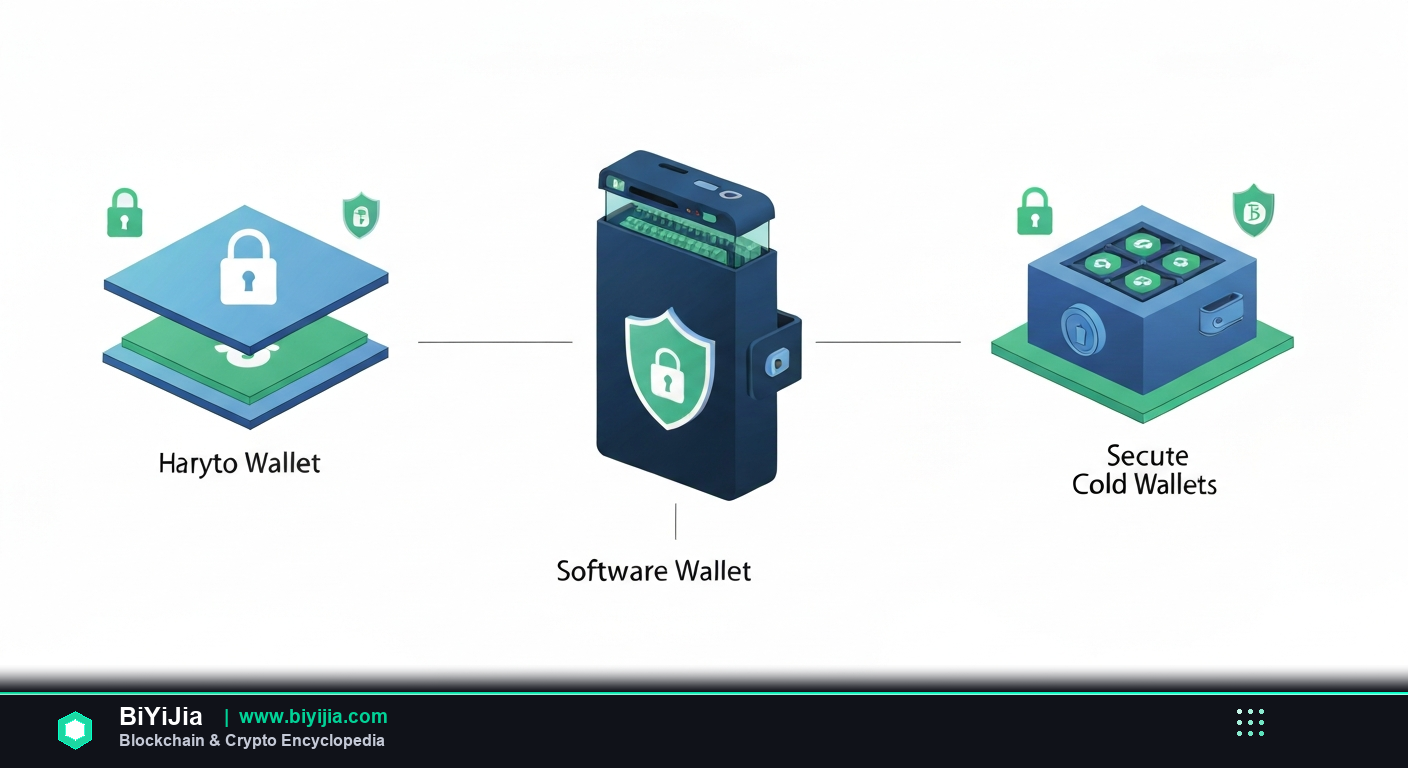
Understanding the core difference between hot and cold wallets is the foundation of any security strategy.
What makes a wallet “hot”?
Hot wallets are connected to the internet—either through a browser extension, a mobile app, or a cloud service. Because the private keys (or a derivation thereof) reside in a device that can be reached by external servers, the attack surface is larger. That said, for everyday swaps, gaming NFTs, or interacting with DeFi protocols, hot wallets are practically unavoidable.
Cold wallets: the offline fortress
Cold wallets store private keys on a device that never talks to the internet. Hardware units like Ledger or Trezor generate and keep the seed inside a secure element, only exposing a signed transaction when you plug them into a computer. The trade‑off is a bit of friction: you need to confirm every move on the device’s screen, and you must have the hardware on hand.
In my experience, the biggest mistake newcomers make is locking all their assets in a hot wallet and then panicking when a phishing link shows up. A simple split—10 % in a hot wallet for liquidity, 90 % in a cold wallet for the long haul—keeps you both agile and safe.
## Review of Popular Hot Wallets
Below is a quick rundown of the four most used hot wallets in 2026, focusing on UI, chain support, security features, and any hidden costs.
MetaMask
- Platform: Browser extension (Chrome, Edge, Brave) and mobile app (iOS/Android).
- Chain coverage: Native Ethereum, Polygon, BSC, Avalanche, and any EVM‑compatible network you add.
- Security: Encrypted local storage; optional hardware‑wallet integration (Ledger, Trezor).
- Fees: Gas estimator is solid on Ethereum but can be overly conservative on L2s.
- Pros: Huge DeFi ecosystem, one‑click token swaps via Uniswap, open‑source.
- Cons: Phishing attacks are rampant; users often download fake extensions.
Honestly, MetaMask is the default choice for anyone who wants to experiment with smart contracts. After years of trading, I still keep a small stash of ETH there for quick swaps, but I never store more than a few hundred dollars.
Trust Wallet
- Platform: Mobile‑first (iOS/Android).
- Chain coverage: Over 40 blockchains, including non‑EVM chains like Solana, TRON, and Cosmos.
- Security: Seed phrase stored locally, optional biometric lock, no cloud backup.
- Fees: Auto‑detects fee structure per chain; may over‑pay on low‑traffic networks.
- Pros: Built‑in DApp browser, staking options for many PoS tokens, simple UI.
- Cons: DApp browser can be a vector for scams; occasional sync glitches.
In my experience, Trust Wallet is the Swiss‑army knife for mobile users who hop between ecosystems. If you’re into Solana NFTs or Cosmos staking, you’ll thank the multi‑chain support.
OKX Wallet
- Platform: Mobile app and web portal.
- Chain coverage: Supports 30+ chains, with deep integration for OKX’s own ecosystem.
- Security: Encrypted seed storage, optional 2FA for withdrawals, hardware‑wallet compatibility.
- Fees: Low‑cost fiat on‑ramp; internal transfers within OKX are fee‑free.
- Pros: One‑click bridge to OKX exchange, Earn products (staking, DeFi), strong KYC support for higher limits.
- Cons: Heavier UI; some features are locked behind exchange account linking.
After years of using OKX for spot trading, the wallet feels like a natural extension. The code B2345 currently gives a 10 % discount on the first month of OKX Earn products for new sign‑ups.
Ledger (Hardware, but includes a hot UI)
- Device: Nano S plus (1 MB storage) and Nano X (2 MB, Bluetooth).
- Software: Ledger Live (desktop & mobile) acts as a hot interface while keeping keys offline.
- Chain coverage: 100+ apps, including Ethereum, Bitcoin, Cardano, Polkadot, and many EVM chains.
- Security: Secure Element chip, PIN protection, seed phrase backup on recovery sheet.
- Fees: Ledger Live shows real‑time network fees; no extra markup.
- Pros: Industry‑standard security, firmware updates, multi‑app support.
- Cons: Higher upfront cost ($119 for Nano S plus, $159 for Nano X), learning curve for beginners.
Honestly, Ledger is the only hardware wallet I trust for holding more than a few thousand dollars. The UI has improved dramatically—Ledger Live now feels like a polished mobile wallet, but your private keys never leave the device.
## Seed Phrase Security: Best Practices
The seed phrase (sometimes called a recovery phrase) is the master key to any wallet. Lose it, and you lose access; expose it, and anyone can drain your funds.
Never store it digitally
Saving the phrase in a notes app, cloud storage, or email is a recipe for disaster. Even encrypted files can be cracked if an attacker gains your device.
Write it on paper, then metal
My go‑to method: write the 12‑ or 24‑word phrase on a high‑contrast paper, then transfer it to a stainless‑steel recovery kit (e.g., CryptoSteel). Metal resists fire, water, and the inevitable wear‑and‑tear of a drawer.
Split the backup
For high‑value holdings, I split the phrase into two halves and store them in separate locations (home safe + safety deposit box). This way, a single burglary won’t give thieves the whole key.
Test before you lock
Before you stash the phrase, restore it on a fresh wallet to verify you wrote it correctly. A single typo can render the entire backup useless.
Use a passphrase for extra entropy
Some wallets (e.g., MetaMask, Ledger) let you add a custom passphrase on top of the seed. Think of it as a 25th word that only you know. Just remember that losing the passphrase is as fatal as losing the seed.
## Chain Differences and Why They Matter for Wallet Choice
Not all blockchains are created equal, and your wallet’s compatibility can affect transaction speed, fees, and even the ability to interact with certain dApps.
EVM vs Non‑EVM Chains
Ethereum‑compatible (EVM) chains share the same address format (0x…) and can run the same smart contracts. Most hot wallets default to EVM support, making them a safe bet for DeFi, NFTs, and token swaps. Non‑EVM chains (Solana, Cardano, Polkadot) use distinct address schemes and often require a native wallet or specialized SDK.
Fee structures
On Ethereum, gas can skyrocket during congestion, prompting users to switch to cheaper L2s like Arbitrum or Optimism. BSC and Polygon offer lower fees but come with their own trade‑offs (centralization, bridge risks). A wallet that automatically suggests the cheapest route saves both time and money.
Bridge and cross‑chain support
MetaMask and Ledger rely on external bridges (e.g., Wormhole, Hop) for moving assets across chains, while Trust Wallet includes an integrated bridge UI. If you plan to hop between Solana and Ethereum frequently, a wallet with a native bridge (like Trust) reduces friction.
Staking and Earn products
Some chains let you stake directly from the wallet (e.g., Cosmos, Tezos). OKX Wallet bundles staking dashboards that pull data from the exchange, making the process one‑click. Ledger Live also supports staking for a handful of PoS networks, but you’ll need to approve each transaction on the device.
## Beginner Recommendation: A Two‑Step Approach
For newcomers, the safest path is to start small, get comfortable, then upgrade to a more secure solution as your portfolio grows.
Step 1 – Get a hot wallet for daily use
- Choose MetaMask if you plan to stay within the Ethereum ecosystem (DeFi, ERC‑20 tokens, NFTs).
- Pick Trust Wallet if you want a mobile‑first experience and plan to experiment with Solana, BNB Chain, or Cosmos.
- Fund the wallet with no more than $200–$500 worth of crypto. This amount covers learning fees and gives you a buffer against accidental loss.
Step 2 – Move the bulk to a cold wallet
- Buy a Ledger Nano S plus (the most cost‑effective model) and set it up using Ledger Live.
- Write down the 24‑word seed on a metal recovery kit, split the backup, and store it securely.
- Transfer the majority of your holdings (anything above $1,000) from the hot wallet to the Ledger address.
In my experience, this two‑step system eliminates the “I’m stuck with my hot wallet” feeling while still offering the flexibility to trade small amounts on the go.
## FAQ
What is the difference between a seed phrase and a private key?
A seed phrase is a human‑readable set of words that can generate all private keys for a wallet. A private key is a 256‑bit number that directly controls a single address. Losing a seed phrase means losing every address derived from it.
Can I use the same seed phrase on multiple wallets?
Yes. Importing the same 12/24 word phrase into MetaMask, Trust Wallet, or Ledger will give you identical addresses on supported chains. However, avoid importing into unknown apps to prevent exposure.
Do hardware wallets protect against phishing?
Hardware wallets protect the private key, but they cannot stop you from signing a malicious transaction if you blindly confirm on the device. Always double‑check the address and amount displayed on the screen.
Is the OKX Wallet safe for large balances?
OKX Wallet is secure when used with strong device security and 2FA, but because it is a hot wallet, it remains more vulnerable than a hardware solution. I recommend keeping only the amount you need for exchange withdrawals and trading.
How often should I update my wallet firmware?
Whenever a new version is released. Firmware updates patch known vulnerabilities and add support for new chains. Ledger Live notifies you automatically; MetaMask and Trust Wallet update via the app store.
What happens if I lose my hardware wallet?
As long as you have the seed phrase (and any optional passphrase), you can recover your funds on a new device. This is why backing up the seed on metal and storing it in a safe location is non‑negotiable.
## Conclusion
Choosing the right crypto wallet isn’t a one‑size‑fits‑all decision. Hot wallets give you instant access to the fast‑moving world of DeFi, NFTs, and daily swaps, while cold wallets lock down your wealth for the long term. MetaMask, Trust Wallet, and OKX Wallet each have a niche—MetaMask for deep Ethereum integration, Trust for multi‑chain mobile flexibility, OKX for exchange‑centric users. Ledger remains the benchmark for hardware security, and the seed phrase is the single most critical piece of information you’ll ever manage.
My recommendation for beginners in 2026 is simple: start with a reputable hot wallet, keep your exposure low, then graduate to a Ledger once your portfolio crosses the thousand‑dollar threshold. Protect your seed phrase with metal, split backups, and never store it digitally. Follow these practices, and you’ll avoid the most common pitfalls that plague new crypto enthusiasts.
Happy hodling, and may your keys stay safe!